Streamline Your Downloads with Neat Download Manager
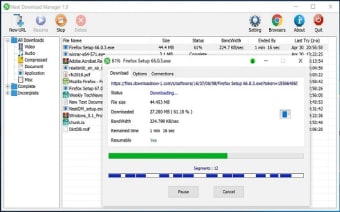
Neat Download Manager, developed by Javad Motallebi, is a lightweight freeware tool that improves how users manage and accelerate file downloads. Designed for Windows and macOS, it enhances efficiency by splitting files into multiple segments and downloading them simultaneously. This multi-threaded approach helps stabilize and speed up transfers, especially for users with inconsistent internet connections. Its minimalist interface makes it approachable even for those new to download managers.
Top Recommended Alternative

Built for Simplicity and Speed
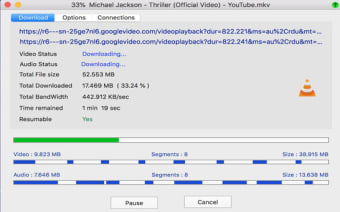
Neat Download Manager uses segmented downloading and bandwidth optimization to make the most of available network speed. Users can pause, resume, or restart downloads at any time without losing progress, minimizing interruptions during unstable sessions. Integration with popular browsers such as Chrome, Edge, and Firefox lets users capture download links or media files directly through a small extension. The app also supports HLS / TS stream downloading, allowing users to merge video segments into a single file for easier playback.
A Smarter Way to Manage Your Downloads
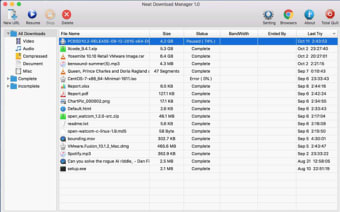
Organization is another core strength of Neat Download Manager. It sorts downloads by file type and completion status while allowing queued and prioritized transfers. The software supports HTTP, HTTPS, and FTP protocols, including proxy and authentication options for advanced users. Adjustable bandwidth limits and connection controls add flexibility for multitasking or sharing networks. While it lacks built-in virus scanning and deeper automation features, its clean interface and reliability make it an effective day-to-day companion.
Focused and Effective for Everyday Use
Overall, Neat Download Manager provides a straightforward way to manage downloads efficiently without clutter or bloat. It performs best for users who prefer a free, lightweight, and browser-integrated alternative to complex tools like Internet Download Manager or Free Download Manager. However, it does not support torrent files or encrypted streaming sites such as YouTube, and some users have noted occasional inconsistencies in the browser extension’s media detection.